01
Set your morning
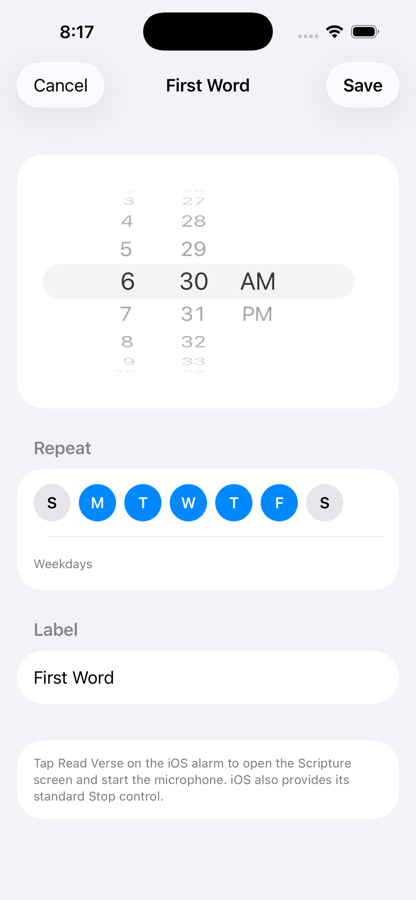
Choose the time and repeat days just like any dependable alarm.
First Word turns the alarm you already need into one focused moment with Scripture—before the feed, the notifications, and the noise begin.
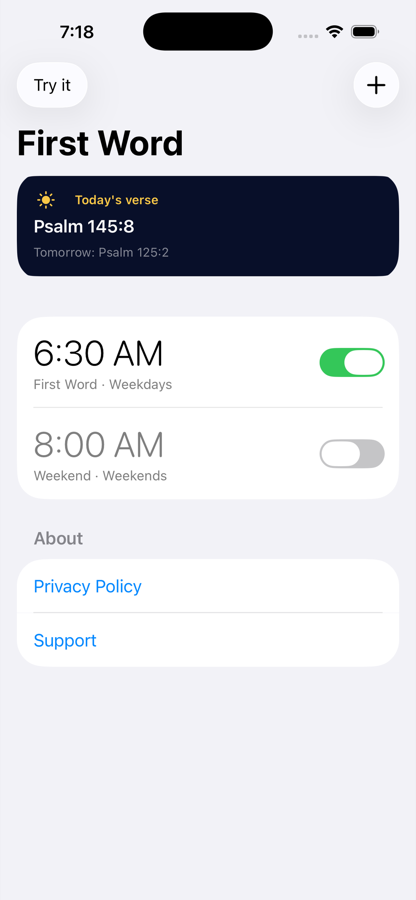
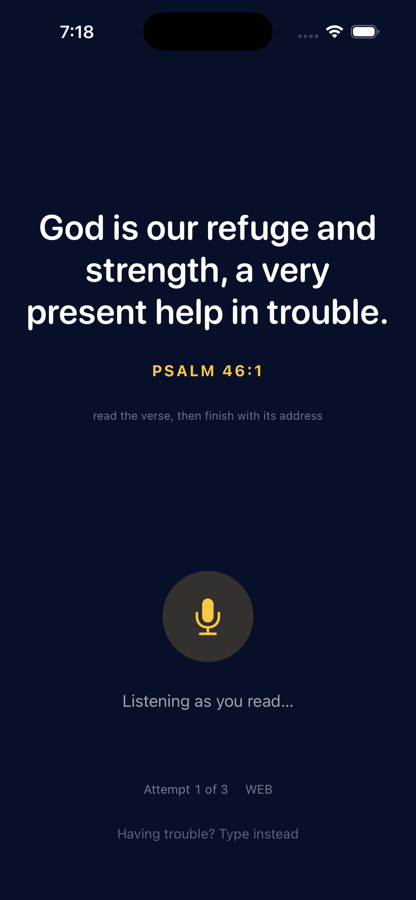
First Word does not try to become another Bible feed. It protects one simple habit: pause, read one verse, and let Scripture—not a notification—set the direction of the morning.
Choose the time and repeat days just like any dependable alarm.
When the alarm rings, Read Verse opens the focused Scripture screen. iOS also keeps its standard Stop control available.
Read the verse aloud during a quiet window. If speech is unavailable, the full typed fallback remains ready.
The best expansion is not more noise. It is the same verse returning at the right moments: first in the morning, available during the day, and gently waiting again before sleep.
Bright and familiar while you schedule. Dark, quiet, and legible when you wake. The interface steps back when Scripture needs the room.
First Word currently uses the World English Bible. We are exploring the translations readers ask for most, but we will add them only with the correct app, offline, and commercial rights.
First Word is designed to do its job without building a profile about you.
Use the alarm without registration, social features, or an advertising identity.
Alarms, preferences, and completion information remain on your iPhone.
First Word does not save your audio or transcripts or send them to the developer.
Open Settings → Apps → First Word and confirm alarm access. Also verify that the alarm is enabled inside First Word.
Allow microphone and speech recognition access. First Word prefers on-device recognition, can fall back to Apple Speech Recognition, and offers typing if speech remains unavailable.
Yes. iOS provides its standard Stop control. Read Verse opens the Scripture wake screen; Apple requires that tap before First Word can start the microphone.
Alarms, preferences, and completion information stay on your iPhone. Deleting the app removes its locally stored data, subject to Apple’s device backup behavior and settings.
First Word uses the World English Bible, a public-domain translation bundled with the app so alarms work offline. Additional translations will appear only after their app, offline, trademark, and commercial terms are properly licensed.
Effective July 14, 2026. First Word is designed to work without accounts, advertising, analytics, or developer-operated servers. Speech recognition is provided by Apple.
First Word does not collect, sell, rent, or use personal data for tracking. The developer does not receive your alarm times, reading history, voice recordings, contacts, location, identifiers, or usage activity.
Microphone access is used only while checking a verse read aloud. First Word prefers on-device recognition and may use Apple Speech Recognition when the local recognizer is unavailable. First Word does not save audio or transcripts or transmit them to the developer. Apple’s processing is governed by Apple’s terms and privacy policy.
Your alarms, preferences, saved verses, and reading history are stored locally on your device. They are removed when you delete the app, subject to Apple’s device backup behavior and settings.
When you choose Share, iOS sends the verse card and text only to the app or service you select. First Word and its developer do not receive that shared content. The destination you choose is governed by its own terms and privacy policy.
Alarm delivery, permissions, app distribution, and optional device backups are provided by Apple and are governed by Apple’s terms and privacy policy.
First Word does not knowingly collect personal information from anyone, including children.
If this policy changes, the updated effective date and policy will be posted here before a materially different data practice is introduced.
Privacy questions may be sent to timmy21c@gmail.com.
First Word is free on the App Store. No account, no advertising, no subscription — just an alarm, a passage, and a better first thought.
 Download on the App StoreFree · iPhone · iOS 26 or later